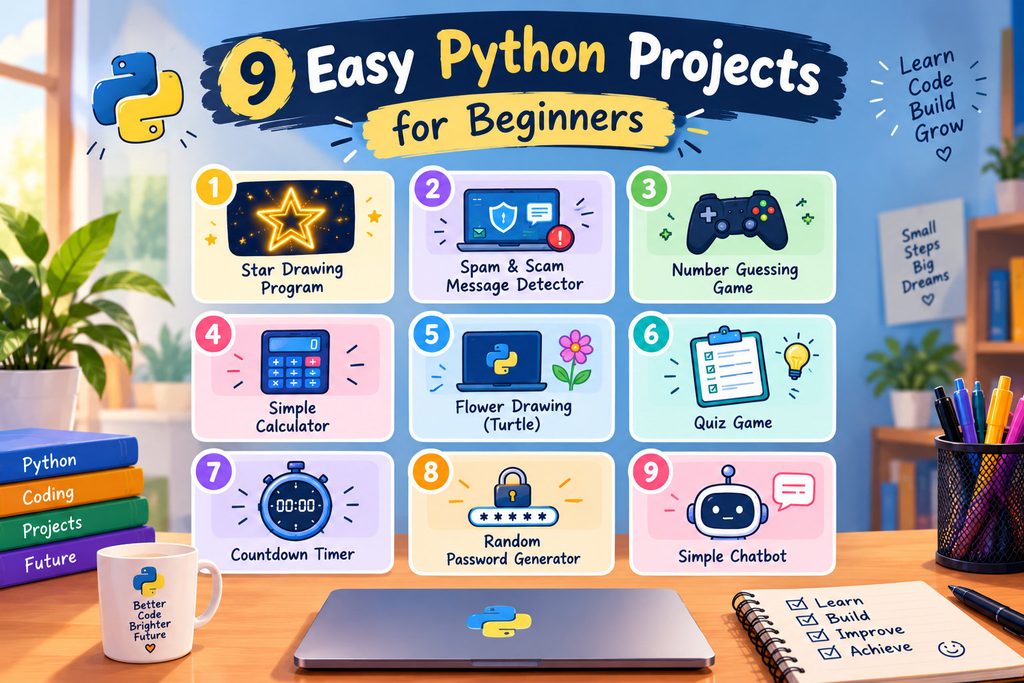
Learning Python does not mean memorizing code for hours. Instead, you can learn programming by building fun, useful, and interactive projects.
For example, you can start by drawing a beautiful star. Then, you can move on to building games or a scam message detector. These 9 easy Python projects will help you turn basic programming concepts into real applications.
Whether you are a student, a young coding enthusiast, or a complete beginner, these projects can help you develop your coding skills in 2026-2027.
So, let’s explore what you can build!
Why Should Beginners Learn Python Through Projects?
Python is a popular programming language because its syntax is easy to read. Moreover, you can use it to create games, automate tasks, build desktop applications, explore artificial intelligence, and create digital artwork.
Learning through projects also helps you understand how different programming concepts work together. For example, you can use variables, loops, and functions to create a program instead of studying each concept separately.
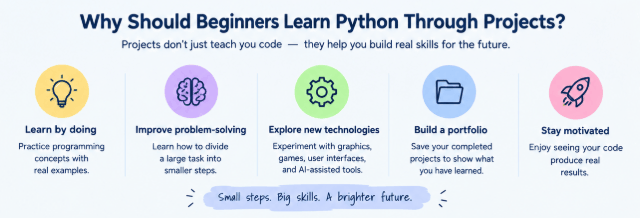
Here are some important benefits of learning Python through projects:
- Learn by doing: First, practice programming concepts with real examples.
- Improve problem-solving: Next, learn how to divide a large task into smaller steps.
- Explore new technologies: Moreover, experiment with graphics, games, user interfaces, and AI-assisted tools.
- Build a portfolio: In addition, save your completed projects to show what you have learned.
- Stay motivated: Finally, enjoy seeing your code produce real results.
Most importantly, you do not need to be an expert to begin. Simply choose a project that matches your current skills and improve it as you learn.
1. Animated Star Drawing Program Using Python Turtle
Difficulty: Beginner to intermediate
Libraries: Turtle, Tkinter, Math, Random
Have you ever wanted to turn a simple star into beautiful digital artwork? If so, this Python project is a great place to start.
First, you can use Python Turtle to draw a basic five-pointed star. Then, you can add colors, patterns, and animation to make the design more interesting.
For example, the Star program (on my YouTube) creates a star filled with words from different languages. It also uses golden/yellow colors, text shadows, and animation to reveal the artwork against a dark background.
Link to code is here.
What will you learn?
- First, learn how to use loops to repeat drawing operations.
- Next, calculate coordinates with mathematical formulas.
- Moreover, practice working with lists, functions, and random choices.
- In addition, learn how to display text on a Tkinter canvas.
- Finally, experiment with simple animation effects.
2. AI-Assisted Spam/Scam Message Detector
Difficulty: Intermediate
Technologies: Python, CustomTkinter, SQLite, Regular Expressions, and optional Arduino hardware
Suspicious messages can trick people into clicking unsafe links or sharing private information. Therefore, building a message detector is a useful way to explore programming and online safety.
Message Guard is a Python desktop application designed to identify suspicious phrases and examine links found in messages. Furthermore, it displays the results through a graphical interface and allows users to review saved scan history and statistics.
The application can also communicate with compatible Arduino hardware. As a result, it can provide additional alerts through a connected device.
Link to code is here.
How does it work?
First, the user enters a message into the application. Next, the program checks the text for suspicious indicators and examines any detected links using its URL-checking features.
Afterward, the application displays a result and an explanation. Depending on its configuration, users can also review previous scans and statistics.
What will you learn?
- First, learn how to build desktop applications with Python.
- Next, search text for suspicious words and phrases.
- Moreover, use regular expressions to find URLs.
- In addition, save scan results in an SQLite database.
- You will also learn how to create interfaces with CustomTkinter.
- Finally, explore optional communication between Python and Arduino.
3. Number Guessing Game
Difficulty: Beginner
Library: Random
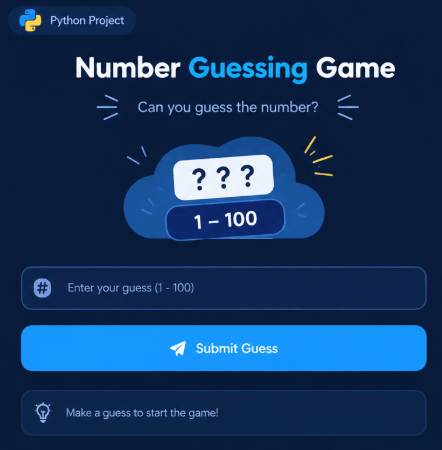
Want to create your first Python game? Then, try building a number guessing game.
First, the computer chooses a random number within a specific range. Next, the player tries to guess the number.
After every attempt, the program tells the player whether the guess is too high, too low, or correct. Therefore, you can practice several important programming concepts while creating a simple game.
Link to code is here.
What will you learn?
- First, store information in variables.
- Next, collect input from users.
- Then, use conditional statements to compare guesses.
- Moreover, repeat actions with loops.
- Finally, generate random numbers using Python.
4. Simple Calculator Using Python
Difficulty: Beginner
Libraries: Basic Python; Tkinter is optional
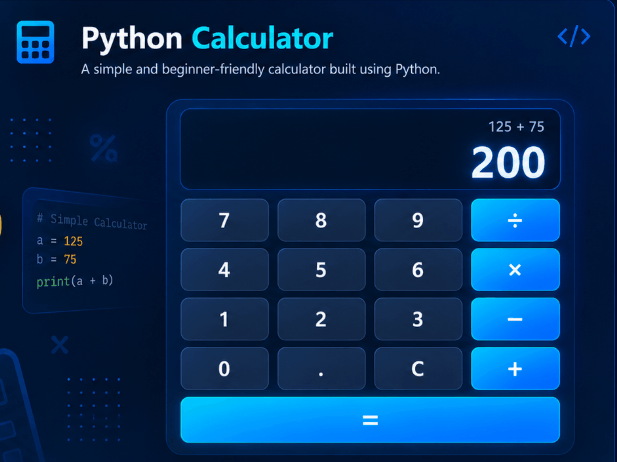
A calculator is one of the most useful Python projects for beginners. Since everyone understands basic arithmetic, it is an easy way to start learning programming.
First, create a program that accepts two numbers from the user. Then, allow the program to add, subtract, multiply, and divide those numbers.
Link to code is here.
What will you learn?
- First, work with numbers and variables.
- Next, collect input and display results.
- Moreover, use functions to organize your code.
- In addition, apply conditional statements.
- Finally, handle invalid input and division by zero.
Begin with a calculator that works in the terminal. After that, create a graphical version with clickable buttons and a display area.
You can also add a clear button or percentage calculations. If you want another challenge, include a history of previous calculations.
5. Colorful Flower Drawing With Python Turtle
Difficulty: Beginner
Library: Turtle
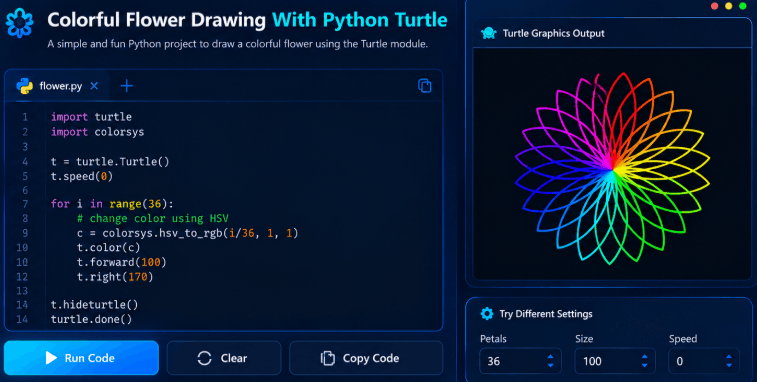
If you enjoy creative coding, a colorful flower drawing program is another excellent choice.
Python Turtle allows you to control a virtual pen on the screen. By combining movement, angles, and loops, you can draw flower petals, stems, and decorative patterns.
What will you learn?
- First, draw shapes using Turtle.
- Next, repeat patterns with loops.
- Moreover, change pen colors.
- In addition, calculate angles.
- Finally, organize drawing commands into functions.
6. Multiple-Choice Quiz Game
Difficulty: Beginner
Tools: Basic Python; Tkinter is optional
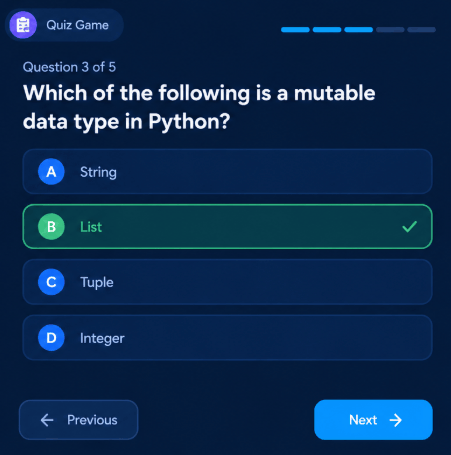
Have you ever wanted to create your own quiz game? With Python, you can build a program that asks questions, checks answers, and calculates a final score.
First, choose a topic you enjoy, such as science, mathematics, computer fundamentals, or general knowledge. Next, write questions with multiple answer options.
The program can then check each answer and update the player’s score.
What will you learn?
- First, store questions and answers in lists or dictionaries.
- Next, collect and check user input.
- Moreover, use conditional statements.
- In addition, keep track of scores.
- Finally, organize questions into reusable functions.
7. Countdown Timer
Difficulty: Beginner
Libraries: Time; Tkinter is optional
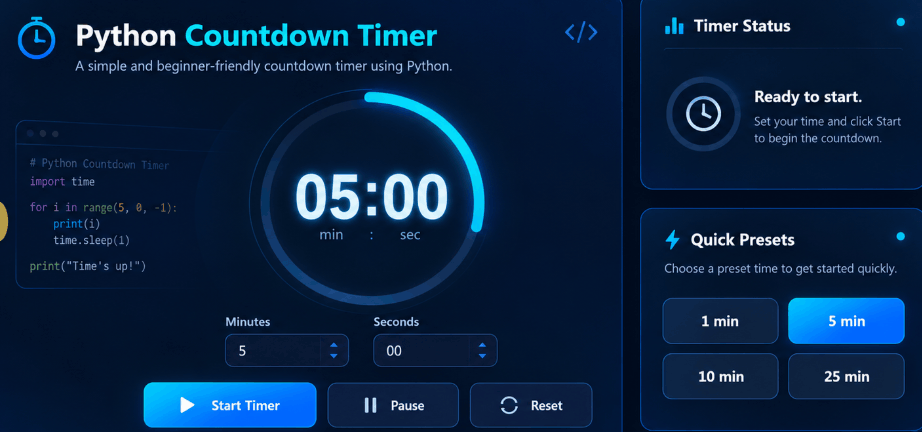
A countdown timer is a simple and practical Python project. For example, you can use it to manage study sessions, schedule short breaks, or create reminders.
First, ask the user to enter a duration. Next, make the program count down until the time reaches zero.
What will you learn?
- First, work with numbers.
- Next, use loops and conditional statements.
- Moreover, understand time delays.
- In addition, validate user input.
- Finally, update information displayed on the screen.
8. Random Password Generator
Difficulty: Beginner
Library: Secrets
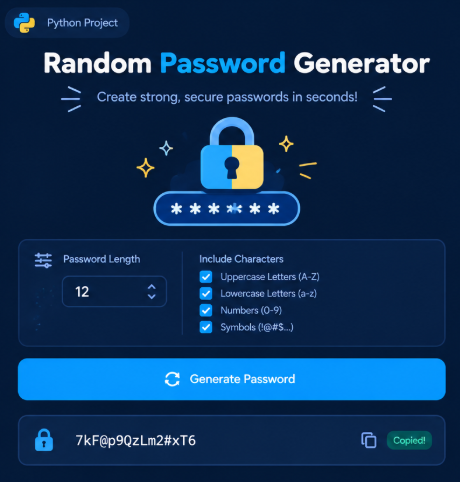
A password generator is a practical project that teaches you about strings, character selection, and functions.
First, the program creates a password using a selection of letters, numbers, and symbols. Next, you can allow users to choose the password length and character types.
What will you learn?
- First, work with strings.
- Next, select characters according to program.
- Moreover, create reusable functions.
- In addition, validate user choices.
- Finally, use Python’s secure random generation tools.
9. Simple Chatbot Using Python
Difficulty: Beginner
Tools: Basic Python; an AI API is optional
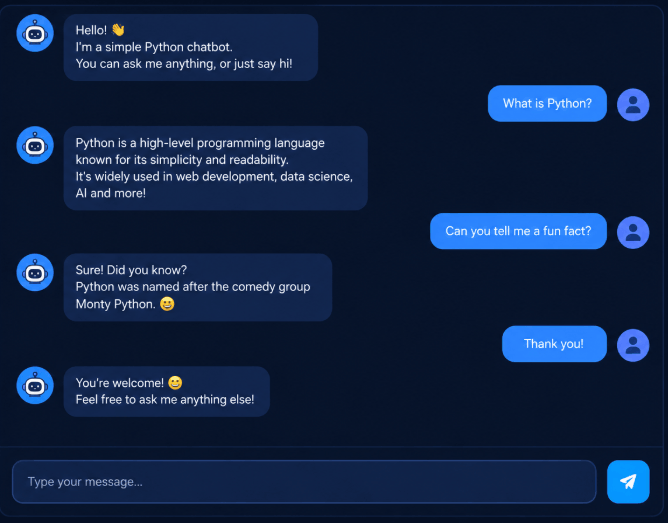
A chatbot is a program that responds to messages from users. Fortunately, you do not need an advanced AI model to build your first chatbot.
First, create a program that recognizes greetings and responds to a few predefined questions. For example, it can reply to “Hello” with a greeting or explain what it can do.
What will you learn?
- First, work with strings.
- Next, use conditional statements.
- Moreover, create functions.
- In addition, match user input with predefined responses.
- Finally, organize a simple conversation.
Which Python Project Should You Try First?
The best project depends on what you want to learn. Therefore, you should choose a project that matches your interests and current skills.
For example, start with a drawing program if you enjoy graphics. On the other hand, choose a guessing game if you want to practice loops and conditions.
Here is a simple guide to help you choose:
| If you want to learn… | Start with… |
|---|---|
| Drawing and graphics | Star Drawing Program |
| Cybersecurity and text analysis | Scam Detector |
| Loops and conditions | Number Guessing Game |
| Functions and calculations | Simple Calculator |
| Random choices and game logic | Quiz Game |
| Creative programming | Flower Drawing |
| Lists and dictionaries | Quiz Game |
| Time-based operations | Countdown Timer |
| Strings and secure random generation | Password Generator |
| Conversations and input handling | Simple Chatbot |
If you are completely new to Python, begin with the star drawing program, number guessing game, or flower drawing. Later, when you are comfortable with functions and modules, move on to larger applications such as Message Guard.
Tips for Completing Your First Python Project
Building your first project can feel challenging at first. However, you can make the process easier by following a few simple steps.
1. Start With the Simplest Version
First, focus on making the basic program work. Do not try to add every feature immediately.
Once the program runs correctly, you can gradually improve it.
2. Understand the Code
Copying code may help you get started. However, understanding how the code works is more useful in the long run.
Whenever you find an unfamiliar command, look it up. Then, test it in a small example to see what it does.
3. Experiment With Changes
Next, try changing colors, messages, numbers, or interface layouts. These small experiments can help you understand how your program behaves.
Moreover, experimenting with your own ideas makes programming more engaging.
4. Learn How to Fix Errors
Errors are a normal part of programming. Therefore, do not become discouraged when your code fails.
Instead, read the error message carefully. Then, check your spelling, indentation, variable names, and input values.
5. Save Your Completed Projects
As you finish each project, save your files in an organized folder. You can also use GitHub to document your work and build a portfolio.
Over time, this portfolio can help you demonstrate your programming skills and show what you have learned.
6. Add Features Gradually
Finally, challenge yourself to add one new feature to each completed project.
For example, you can turn a text-based calculator into a graphical application. Similarly, you can add a scoreboard to your guessing game.
By improving your projects step by step, you can gradually develop stronger programming skills.
Conclusion
Learning Python becomes more exciting when you use it to build something of your own. For example, you can start with a star drawing program, create a small game, or experiment with a quiz application.
As your skills improve, you can explore more practical applications, such as Message Guard. However, remember that you do not have to master everything at once.
Instead, choose one project, understand how it works, and improve it step by step. With regular practice, you can gradually build more useful and creative applications.
Which of these 9 Python projects would you like to build first? Share your choice and keep exploring more about technology on techopulse. You can learn more about python programming here.
You can view the backend/code of these programs by clicking here.
FAQs:
What are the easiest Python projects for beginners?
A star drawing program, number guessing game, simple calculator, and flower drawing program are excellent starting points. These projects introduce basic programming concepts without requiring complicated setup.
Can kids learn Python by building projects?
Yes, children can explore Python through simple games and visual projects. However, it is best to start with short programs and gradually move on to more advanced applications.
Which Python projects are useful for students in 2026-2027?
Drawing programs, games, quiz applications, password generators, chat bots, and basic cybersecurity tools offer useful programming practice. Therefore, choose a project based on your current skills and interests rather than following trends alone.
Can I build AI projects as a Python beginner?
Yes, you can start with AI-assisted applications, pretrained models, or existing APIs. However, training and evaluating your own machine-learning models will require additional learning.
Do I need advanced mathematics to create Python projects?
No, most beginner projects require only basic arithmetic, logical comparisons, and simple formulas. However, more advanced graphics, machine learning, and scientific applications may require additional mathematical knowledge.
Which software can I use to write Python code?
You can use Visual Studio Code or another Python development environment. Depending on your project, you may also need to install additional libraries.
Good effort, keep it up!
thank you
Good work. Very informative. Keep it up
thanks!